
Introduction
Your CRM is either your most reliable revenue tool or your most expensive source of confusion, quietly full of wrong numbers, duplicate contacts, and stale records nobody has touched in months. This guide covers what CRM data hygiene means for B2B companies, what bad data costs, and the five-step process to fix it in HubSpot. Clean CRM architecture is the foundation every revenue team needs before automation, attribution, or ABM can work.
Clean data is the foundation everything else stands on. It is also what makes AI lead qualification and routing in HubSpot reliable, and it is where our AI automation services usually start.
What CRM Data Hygiene Means for B2B Companies
CRM data hygiene for B2B companies is the ongoing practice of keeping contact, company, and deal records accurate, complete, consistent, and current, covering dimensions like accuracy, completeness, consistency, uniqueness, and timeliness. When any of these breaks down, everything downstream misfires: scoring, routing, email deliverability, and forecasts all inherit the error.
Why Dirty CRM Data Is a Revenue Problem, Not a Data Problem
Most RevOps teams treat data hygiene as housekeeping. The cost shows up long before anyone notices it.
Gartner estimates poor data quality costs organizations an average of $12.9 million a year. That figure holds up across industries because the damage compounds the same way everywhere: wasted rep time, missed deals, and forecasts built on numbers that no longer reflect reality.
The cost lands in four places:
- Rep productivity. Reps lose hours chasing dead numbers and re-entering data that should already exist.
- Email deliverability. Bounces damage sender reputation until even legitimate emails land in spam.
- Forecast accuracy. One RevOps audit uncovered a large volume of orphaned deals with no linked contact, no engagement history, and no forecast value. A separate cleanup required correcting thousands of contact records carrying the wrong lifecycle stage, which meant marketing was nurturing already converted customers while sales chased leads that had gone dark.
- AI reliability. Scoring, routing, or forecasting models built on dirty data don’t automate good decisions, they automate bad ones at scale.
Where Dirty Data Actually Comes From
Fixing the root cause beats repeating the same cleanup every year. Five patterns account for most of it.
Natural decay
People change jobs, companies get acquired, and phone numbers get disconnected. A list that was accurate a year ago is full of dead ends today. This decay is the single biggest reason a one-and-done cleanup effort fails within months.
Manual entry errors
Reps typing quickly between calls misspell names, mistype numbers, and skip fields. Free text invites inconsistency by design, since ten reps will format the same job title ten different ways. Even one misspelled email address is enough to break deduplication logic further down the line.
Multiple import sources
Lists from events, webinars, purchased data, and inbound forms rarely pass through a dedupe step before they land in the CRM. Each new import stacks fresh duplicates on top of the ones already sitting in the database. Over time, a single contact can end up scattered across three or four separate records with fragmented engagement history.
No enforced standards
If a field accepts any text at all, reps will eventually enter a dozen spellings of the same industry or job title. Without picklists or validation rules, nothing stops inconsistent entries from reaching the database. That inconsistency then breaks the segmentation, routing, and reporting built on top of those fields.
Lack of ownership
When nobody is explicitly responsible for data quality, it degrades quietly while everyone assumes someone else is handling it. No single person is accountable for catching a duplicate, correcting a stale record, or fixing a mislabeled lifecycle stage. The result is a CRM that erodes steadily until a major cleanup becomes unavoidable.
The Five Most Common Data Quality Problems in B2B CRMs
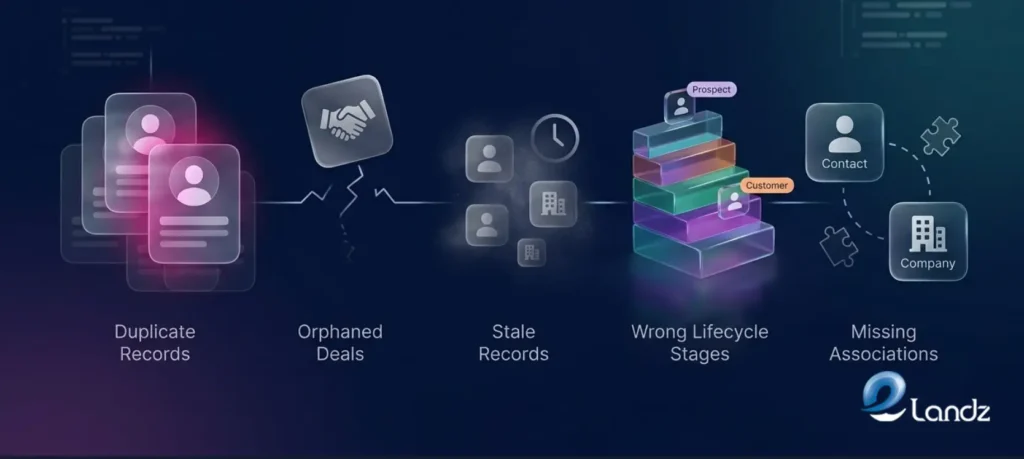
The same failures show up in nearly every CRM audit, regardless of company size:
- Duplicate records. A new record gets created every time someone fills out a form with a slightly different email, splitting one person’s history across multiple entries.
- Orphaned deals. A deal with no linked contact or company sits in the pipeline with nobody working it and nobody forecasting it.
- Stale records. A database untouched for a couple of years is likely wrong on a large share of its contacts.
- Wrong lifecycle stages. A customer marked as a lead keeps getting prospecting emails; a closed deal marked incorrectly drops off the active forecast.
- Missing associations. A contact with no linked company breaks account-level reporting; a deal with no linked contacts makes multi-threading analysis impossible.
The 5-Step CRM Data Hygiene Process for B2B Teams
A hygiene program that works has three layers: prevention, detection, and correction. Most teams jump straight to correction, which is why they repeat the same cleanup every year. These five steps build all three into a HubSpot workflow.
Step 1: Audit what you actually have
Run a baseline audit before touching anything: duplicate rate, field completeness on critical properties, formatting consistency, staleness, and a manual accuracy sample of contacts. This baseline is what makes the internal case for treating hygiene as a revenue priority rather than a one-off cleanup. Document every finding so progress can be measured against it later.
Step 2: Standardize your data structure first
Convert free text fields like industry, lead source, and deal stage into HubSpot picklists to remove inconsistency at the point of entry. Set required fields at the lifecycle stage where missing data actually blocks the next step, not all at once. Write a short field dictionary defining what each property means and who owns it, so ambiguity stops driving inconsistent data across teams.
Step 3: Deduplicate records
HubSpot deduplicates contacts by email and companies by domain automatically, but that misses variant email formats and manually created duplicates. Use the Duplicates tool to review flagged pairs, set clear merge rules, and preserve engagement history when records are combined. Deduplicate contacts, then companies, then deals, in that order, to avoid creating orphaned associations.
Step 4: Validate and enrich missing fields
Run email and phone verification before any send to protect deliverability. Use Operations Hub to standardize formats and flag incomplete records, then connect an enrichment tool through the App Marketplace for firmographic data. Prioritize enrichment on ICP-matched accounts and only the fields your team actually uses for segmentation and routing.
Step 5: Automate ongoing maintenance
Build validation rules on key properties, auto-update lifecycle stages based on activity, and flag stale records for owner review. Run weekly anomaly checks for orphaned deals and outdated lifecycle stages, since problems caught early are easy to fix and problems caught late require a full cleanup project. Assign explicit ownership and report on the KPIs below on a regular cadence.
KPIs That Actually Tell You If Hygiene Is Working
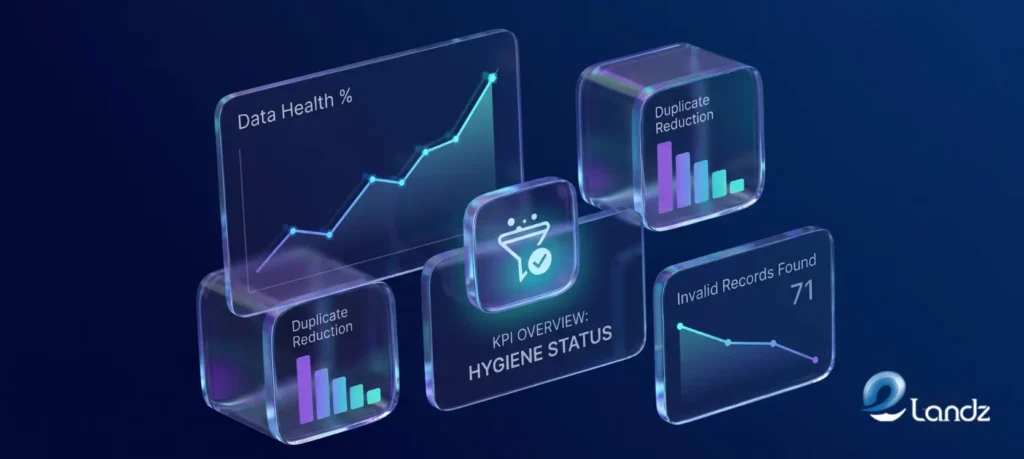
Track outcomes, not just activity:
- Duplicate rate under 2% of total records
- Null field rate under 10% on required fields
- Email bounce rate under 2% of sends
- Data freshness age under 90 days since last verification
- Enrichment match rate above 85%
- Routing accuracy rate above 95% of inbound leads
A lower duplicate rate improves forecast accuracy because fewer phantom accounts inflate the pipeline. A lower bounce rate protects sender reputation and outbound reach. Better routing accuracy shortens speed to lead, one of the highest-leverage variables a revenue team controls.
Conclusion
Dirty CRM data doesn’t announce itself. It accumulates quietly, one stale contact and one un-deduped import at a time, until it shows up in your forecast or your deliverability report. The fix is straightforward: audit, standardize, deduplicate, enrich, and automate the maintenance so the work never has to be repeated from scratch.
Treating data quality as a revenue operations priority, not an annual IT task, is what keeps a HubSpot portal actually supporting the pipeline. That’s exactly what we do at Elandz.
Frequently Asked Questions
CRM data hygiene raises the same handful of questions for most B2B revenue teams. The answers below cover cadence, cost, tooling, and where to start first. Each one is meant as a quick, direct reference, since the sections above already cover the full process in depth.
It’s the ongoing practice of keeping every contact, company, and deal record accurate, complete, and current, rather than a one-time cleanup.
Run a full audit quarterly, with automated validation handling day-to-day maintenance, since B2B data decays meaningfully every year.
Gartner estimates $12.9 million a year per organization, driven by wasted rep time, missed deals, and inaccurate forecasts.
It automatically dedupes contacts by email and companies by domain, with the Duplicates tool available for more complex matches.
Hygiene is the overall practice of keeping records clean; enrichment is one part of it, appending missing details like company size or title.
Duplicate records, orphaned deals, stale records, wrong lifecycle stages, and missing associations between contacts and companies.
Yes, clean stale and inactive records first while leaving the live pipeline untouched, using HubSpot automation to avoid interrupting active deals.
Get updates in your inbox
Subscribe to our emails to receive newsletters, product updates, and marketing communications.

Want to see where your own lead flow leaks? Get a free lead-flow audit: a 10 to 15 minute video review of how your company handles enquiries. No call required.
About The Author