

Introduction
When a mid-sized professional services firm approached us, their project managers were spending more time managing the act of managing than actually driving projects forward. Status update emails piled up, task visibility was inconsistent across teams, and no single source of truth existed for deliverables or deadlines.
Want a similar result for your own projects? See our AI automation services.
The root cause wasn’t effort; it was infrastructure. Without a connected RevOps framework tying their tools and workflows together, every project ran on improvised systems that created friction instead of flow.
Within three months of implementing a structured Google Workspace and Asana automation setup, the team reclaimed hours every week and significantly reduced internal project management overhead across the board.
The Problem: Overhead Was Growing Faster Than the Team
The client ran eight to twelve concurrent projects at any given time, each with its own stakeholders, timelines, and deliverable sets. Project managers were manually chasing updates through email threads, re-entering data across disconnected tools, and sitting in sync calls that could have been asynchronous updates. The overhead was not caused by a lack of effort but by a lack of structure.
Every week, PMs lose productive hours to tasks that could be automated or centralized. The team had access to Google Workspace and had heard of Asana, but used neither in a coordinated way. The gap between what their tools could do and what they were actually doing was where the overhead lived.
Step One: Establishing a Single Source of Truth in Google Drive
The first thing we fixed was document chaos. Project files lived in personal drives, email attachments, and shared folders with no consistent naming or access structure. We reorganized everything into shared drives within Google Workspace, one per client account, with a standardized folder hierarchy covering scope documents, deliverables, and status reports.
Each project kicked off with a scope of work document in Google Docs, which served as the central reference point for every stakeholder. Having that document accessible in a shared drive meant no one needed to request files from a PM directly. Document version confusion dropped almost immediately once everyone worked from the same living file.at was current and intentional gave the team enough confidence to rely on it again.
Step Two: Structuring Work in Asana Around Real Project Hierarchies
Once the file foundation was in place, we built out their Asana workspace to reflect how the team actually operated. We created organization-level teams that mirrored their internal departments, then built projects underneath each team with standardized task structures covering kickoff, execution, review, and delivery phases.
Every task followed a consistent format: a clear title, an assigned owner, a due date, and a description that answered who was doing what and by when. Subtasks handled the smaller handoffs within larger deliverables, each assigned to the right person so nothing fell through the cracks. This structure meant that any stakeholder could open a project in Asana and immediately understand where things stood without sending a single message to a PM.
Step Three: Syncing Asana With Google Calendar to Protect Deadlines
One of the most impactful changes was syncing Asana project timelines directly to Google Calendar. PMs and team members could see task deadlines alongside their meeting schedules, which made it far easier to protect time for focused work and flag realistic concerns before a deadline arrived rather than after.
Google Calendar also gave PMs visibility into team availability when scheduling check-ins, reviews, and client syncs. Rather than going back and forth over email to find a meeting time, PMs could schedule around existing blocks and reduce the coordination tax entirely. Deadline awareness became proactive instead of reactive.
Step Four: Replacing Email Threads With Structured Communication Channels
Before the restructure, project communication happened wherever was most convenient for the sender: email, chat messages, phone calls. This meant PMs spent significant time piecing together context from multiple places. We set clear guidelines around which communication channel served which purpose.
Google Chat handled quick questions and fast decisions that needed a real-time response. Google Chat Spaces became the organized home for each project’s ongoing conversations, file sharing, and task references so discussion stayed connected to context. Longer action items and formal updates went through Gmail, and weekly stakeholder syncs moved to Google Meet, where PMs used the built-in note-taking feature to capture decisions automatically.
Step Five: Connecting Gmail and Google Drive to Asana for Seamless Task Creation
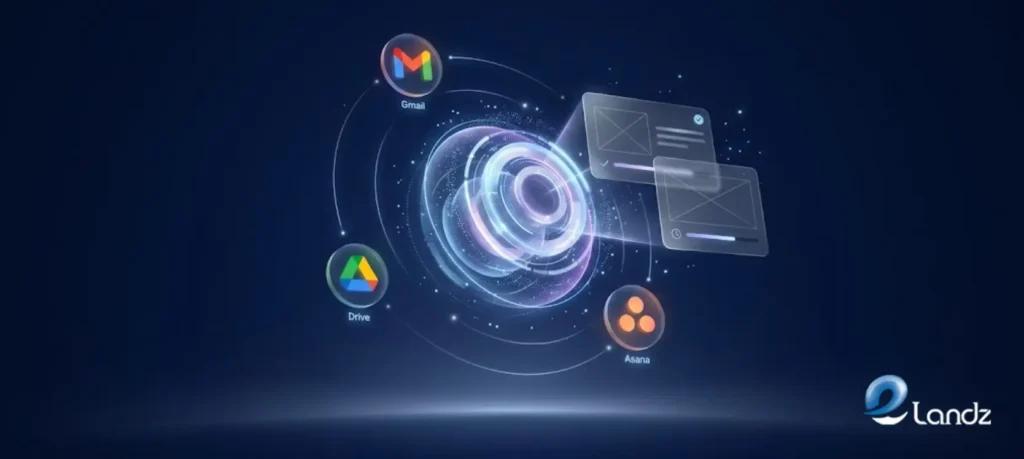
One of the sharpest sources of overhead was the gap between where work was being discussed and where it was being tracked. An email would arrive with a client request, and it would either get handled immediately or forgotten entirely. We closed that gap by connecting Gmail to Asana, allowing the team to create tasks directly from email without leaving their inbox.
Google Drive file attachments were linked directly inside the relevant Asana tasks, so team members never had to hunt for a document when starting a piece of work. Comment notifications from linked Google Docs also surfaced inside Asana tasks, keeping feedback visible in the same place as the work it referenced. That connection between conversation and action was where a large portion of the overhead was hidden.
Step Six: Using Sheets to Track Portfolio-Level Progress Without Extra Meetings
The client’s leadership team needed portfolio visibility without attending every project meeting. We built a Google Sheets project tracker using pre-built table structures with dropdown status fields, color-coded priority indicators, and filter options so each stakeholder could see only what was relevant to them. When leadership needed a broader view, the team exported Asana portfolio data directly into Google Sheets for a clean, shareable snapshot.
This replaced two standing weekly meetings that existed solely to relay status information upward. Leaders got better visibility with less disruption to the project teams delivering the work. Reducing internal project management overhead often means replacing synchronous reporting with well-structured asynchronous access, and this was a clear example of that principle in practice.
The Results
Three months after implementation, the client’s project managers reported spending significantly less time on coordination tasks and more time on stakeholder relationships and problem-solving. The team stopped missing handoff deadlines because every task had a clear owner and due date visible to the whole team. Client escalations related to missing documents or unclear timelines dropped sharply because everyone operated from the same organized system.
The tools themselves were not new. Google Workspace and Asana were already well-established platforms. What made the difference was connecting them deliberately, building consistent structures that the whole team followed, and replacing ad-hoc communication habits with intentional channel guidelines. Reducing internal project management overhead does not require buying new software. It requires using what you have with a clear plan.
Want to know which manual steps cost you the most? Start with a free lead flow audit, a 10 to 15 minute video review of how new business moves through your company. No call needed.
Conclusion
Project management overhead rarely comes from laziness or incompetence. It comes from systems that were never designed to talk to each other and habits that fill the gaps with manual effort. By combining the document and communication infrastructure of Google Workspace with the task and project structure of Asana, teams can reduce the hidden time cost of coordination and redirect it toward work that actually moves projects forward. The client we worked with did not just get a cleaner setup. They got time back, and that is the most valuable outcome any operational change can deliver.
Frequently Asked Questions
If you are considering a similar approach for your team, the questions below come up most often in early conversations. Each one reflects a real concern that project managers and operations leads raise when evaluating how to reduce internal project management overhead in their own organizations.
You can start with one, but using both together is where you see the biggest drop in overhead. Google Workspace manages your files and communication, and Asana keeps your tasks and projects organized in one place.
A basic setup with shared drives, Asana project templates, and calendar syncing usually takes two to three weeks. Most teams are fully comfortable with the new system within six to eight weeks.
The most common mistake is jumping into a new tool before deciding how work will be structured inside it. A disorganized workflow in a new tool is still a disorganized workflow.
Yes, most integrations like Google Drive attachments, Calendar syncing, and Gmail task creation are set up directly inside Asana without needing IT support. Standard accounts can connect everything through the settings menu in a few minutes.
The fastest way is for team leads to use the system consistently from day one, because the rest of the team follows what leadership does. Short, clear guidelines on which tool to use for which type of communication also help the habits stick.
Get updates in your inbox
Subscribe to our emails to receive newsletters, product updates, and marketing communications.