

Introduction
For any business that sells time, the employee utilization rate is one of the most important numbers you can track. It shows how much of your team’s available working hours go toward revenue-generating work.
Low utilization often means hours lost to admin. Our AI automation for B2B teams hands that admin to n8n workflows connected to HubSpot.
When this number is healthy, the business runs efficiently. When it drops, profit suffers. When it runs too high for too long, people burn out. This is where an operational efficiency consulting team can fill the gap.
This article explains the concept from the ground up. You will learn how it works, how to calculate it step by step, and how to use the data to make better decisions about your workforce.
What Is Employee Utilization Rate?
The employee utilization rate is a percentage that shows how much of a worker’s available time goes toward productive, billable tasks. Think of it as the share of working hours that the business actually gets paid for. The rest goes to internal meetings, admin work, training, and other necessary but non-revenue activities.
A Simple Example
An employee works 40 hours a week and spends 30 of those hours on client projects. Their utilization rate is 75%. The remaining 10 hours went to tasks the client does not pay for.
This metric sits at the heart of workforce planning. It tells managers whether the team is stretched too thin, sitting underused, or working at a healthy pace. It also reveals whether the business is getting real value from its payroll and helps leaders make smarter decisions about hiring and project scheduling.
Billable and Non-Billable Hours Explained
To use this metric correctly, you need to understand the two types of working hours it depends on.
Billable hours
These are hours spent on work that generates revenue. This includes client projects, paid consultations, campaign delivery, and any task a client pays for directly. These hours connect directly to the business’s income.
Non-billable hours
These are hours spent on work the client does not pay for. Internal meetings, proposal writing, onboarding, training, and general administration all fall here. These tasks are necessary, but they do not bring in money on their own.
A higher share of billable hours means a stronger utilization rate. That said, non-billable work is not a problem to eliminate. A team with no time for communication, development, or internal coordination will eventually produce lower-quality work. The goal is a smart balance between the two.
How to Measure Employee Utilization Rate
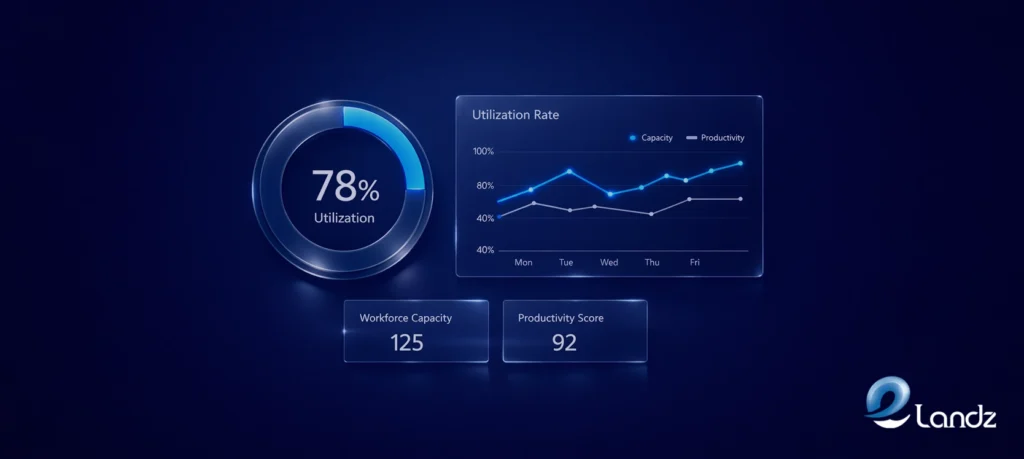
The formula to measure employee utilization rate is: Utilization Rate = (Billable Hours / Total Available Hours) x 100
Applying this formula correctly takes three steps. Each one is straightforward as long as your time data is accurate.
Step 1: Calculate Total Available Hours
Available hours are the hours an employee can realistically work after approved time off is removed. Start with their standard working hours for the period. For a full-time employee on a 40-hour work week, a standard work year holds 2,080 hours. Then subtract vacation days, sick leave, and public holidays.
Example: An employee works 40 hours per week, giving 2,080 hours per year. They take 4 weeks of vacation (160 hours) and 12 sick days (96 hours). Available hours = 2,080 minus 256 = 1,824 hours per year.
Step 2: Track Billable Hours
Billable hours are the hours spent on client-facing or revenue-generating work. The most reliable way to capture them is with a time-tracking tool where employees log hours by project type as they work. Reconstructing hours at the end of the week leads to errors and underestimates.
Continuing the example: The same employee averages 30 billable hours per week. After accounting for their time off, this works out to roughly 1,300 billable hours over the year.
Step 3: Apply the Formula
Utilization Rate = (1,300 / 1,824) x 100 = 71.3%
This means the employee spent about 71% of their available time on billable work. The remaining 29% covered necessary non-billable activities..
A Quick Weekly Example
You can apply the same formula over any time period. If an employee has 35 available hours in a week and spends 28 on client projects, the calculation is straightforward.
Utilization Rate = (28 / 35) x 100 = 80%
Track this weekly for a detailed view, monthly for operational planning, or annually for budgeting and headcount decisions.
The Three Types of Utilization Rate
Not all utilization metrics measure the same thing. Knowing which type you are tracking changes how you interpret the result.
Billable Utilization
It tracks only the hours invoiced to clients. It has the clearest link to revenue and is the most common starting point for service businesses.
Resource Utilization
This takes a broader view and includes all productive work, whether billable or not. Internal projects, cross-team collaboration, and staff training all count. This gives a fuller picture of how people spend their time.
Effective Utilization
This rate goes beyond logged hours and factors in the revenue those hours actually generated. It asks whether the billable time was priced correctly and produced real financial results.
For most businesses, getting started with this metric, billable utilization, is the right place to begin. It is measurable, easy to explain to stakeholders, and directly tied to profitability.
What Is a Good Utilization Rate?
There is no single right answer that fits every business. The right employee utilization rate depends on your industry, the mix of roles on your team, and how your costs are structured. That said, some widely used benchmarks give a useful starting point.
65 to 75 percent is the most commonly cited baseline for professional services firms. Anything below 65% suggests too much unproductive time. Rates between 70 and 80% are considered healthy for most agencies and client-facing teams.
80 to 90 percent is typical for production-level staff in consulting, engineering, and legal services. These roles are expected to spend the bulk of their time on client work.
Above 85 percent sustained over months is a warning sign regardless of the industry. Teams running at high utilization for extended periods face burnout, declining work quality, and higher staff turnover.
Senior employees generally carry more internal responsibilities such as mentoring, strategy work, and business development. A lower billable rate for those roles is expected and appropriate. Benchmarks should be set per role, not applied as a single company-wide target.
Why This Metric Matters for Your Business
Tracked consistently, utilization data replaces guesswork with clear signals about how your team and business are performing.
Shows Financial Risk Early
When utilization drops, revenue follows. Monitoring the trend in real time lets you act before the impact shows up in your financials.
Catches Burnout Early
An employee running above 85% for several months is heading toward burnout. The data gives managers a chance to redistribute work before that person’s performance or well-being suffers.
Improves Hiring Decisions
A team running at 90% consistently is not performing well. It is understaffed. A team at 50% may not need more people at all. Better project allocation might solve the problem instead.
Sharpens Pricing.
Knowing your team’s capacity and utilization helps you calculate a billing rate that covers costs, overhead, and a healthy profit margin without undercharging or overloading your staff.
According to research cited in ActiveCollab’s 2025 resource guide, raising billable utilization by even a few percentage points can produce meaningful revenue growth. For most service businesses, this metric delivers one of the highest returns of any operational number they track.
For a practical breakdown with real-world examples across different industries, read ActiveCollab’s 2025 guide on how to calculate employee utilization rate.
What Causes a Low Utilization Rate?

Before acting on low numbers, it helps to understand where they come from. The most common causes are:
- Poor project planning that leaves employees without billable work between engagements
- Administrative overload from reporting, invoicing, and coordination tasks that consume too many working hours
- Team size that exceeds the current project demand
- Skill gaps that prevent employees from taking on the available work
- Weak time tracking, where billable hours go unlogged and appear as idle time
Each cause points to a different solution. This is why tracking utilization matters beyond the number itself. The data helps you locate the source of the problem rather than just observing that one exists.
How to Improve Employee Utilization
Once you have the numbers, improving them comes down to targeted action in a few key areas.
Fix Time Tracking First
Accurate data is the foundation of everything else. If employees are not logging hours consistently, the metric becomes unreliable. Use time-tracking software that captures billable hours in real time rather than relying on end-of-week memory.
Cut Administrative Drag
Identify which non-billable tasks consume the most hours. Automate repeatable work like reporting and invoicing where possible. Consider whether some administrative tasks could be handled by support roles rather than senior billable staff.
Plan Projects with Fewer Gaps
Downtime between projects is expensive. Keep a visible pipeline so the next project begins as the current one wraps up. Forecast utilization in advance rather than reacting to gaps after they open.
Broaden Team Skills
Teams with a wider range of capabilities can handle more types of projects. Cross-training reduces the risk of some employees being constantly overloaded while others have nothing to work on.
Review Workload Distribution Regularly
Individual utilization data reveals imbalances across the team. One person at 90% and another at 50% is a scheduling problem, not a performance problem. Regular reviews let you catch and correct these imbalances early.
Want to know which manual steps cost you the most? Start with a free lead flow audit, a 10 to 15 minute video review of how new business moves through your company. No call needed.
Conclusion
The employee utilization rate is one of the clearest signals a service business has for measuring how effectively it converts working time into revenue. The formula is simple: divide billable hours by available hours and multiply by 100. The real work lies in what you do with the result.
Track it consistently. Break it down by individual, team, and role. Look for patterns over time rather than reacting to single-week dips. For most service businesses, a rate between 70 and 80 percent reflects a healthy balance between productivity and sustainability. Rates above 85 percent sustained over months signal staffing or workload problems. Rates below 65 percent point to inefficiency or underutilized capacity.
Used well, this metric moves workforce decisions from intuition to evidence. That shift pays for itself many times over.
Frequently Asked Questions
Got questions about cutting costs without slowing your business down? These answers cover the most common concerns business owners and managers face when starting a cost reduction initiative.
It is a percentage that shows how much of your employee’s available work time is allocated to tasks for which the business is paid. If someone has 40 available hours and spends 32 on client work, their rate is 80%.
Divide the number of billable hours by the total available hours. Then multiply the result by 100. For example, 32 billable hours divided by 40 available hours equals 0.8. Multiplied by 100, that gives you 80%.
For most service businesses, a rate between 70 and 80 percent is considered healthy. Rates below 65 percent indicate excessive unproductive time. Rates above 85 percent held over several months put your team at risk of burnout.
Every employee needs time for internal meetings, training, admin work, and team communication. These tasks are necessary for quality and morale. A 100 percent rate is not realistic, and pushing toward it consistently leads to burnout, errors, and staff turnover.
Monthly tracking works well for most teams. Weekly tracking gives a more detailed view for fast-moving projects. Annual tracking helps with budgeting and long-term planning. The right frequency depends on how quickly your project workload and team size change.
Get updates in your inbox
Subscribe to our emails to receive newsletters, product updates, and marketing communications.